
Verify GAC Telemetry Policies
Troubleshooting
If telemetry data is not appearing in Dream™, confirm that telemetry reporting policies are enabled in your Google Admin Console.
Steps
-
Log in to https://admin.google.com
-
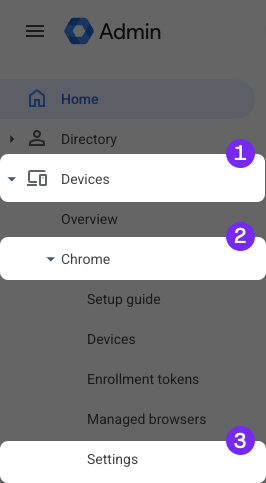
Click Devices, then click Chrome
-
Click Settings
-
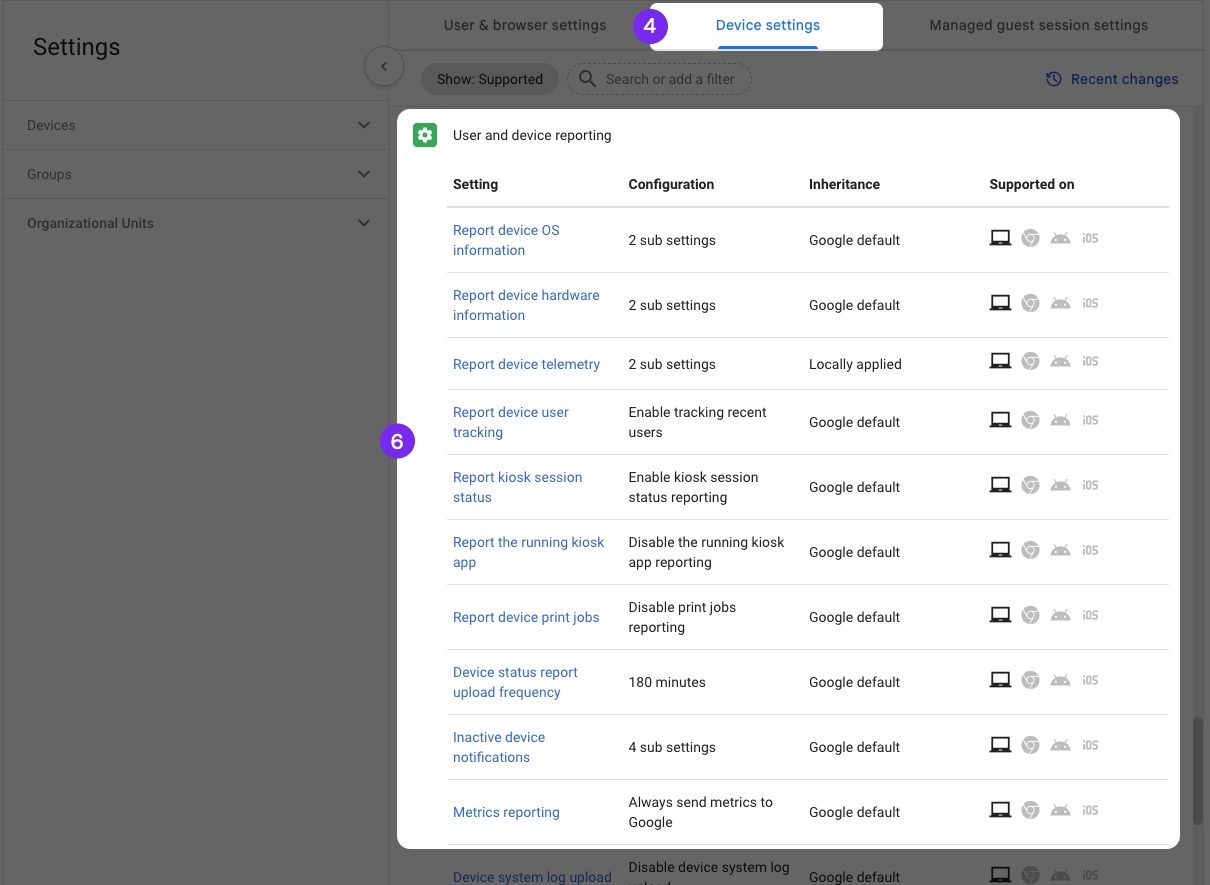
Click Device Settings
-
Scroll down to the User and Device Reporting section
-
Confirm all reporting policies are set to Enabled
Updated about 1 month ago
Did this page help you?