
Incident IQ
Connect with IIQ to avoid creating duplicate tickets.
🚧 Under Construction 🚧
Our Incident IQ integration is under active development and may not be suitable for all customers. Currently this integration supports only In-House, Out of Warranty tickets to avoid duplication for customers that would like to utilize both Dream and IIQ for tracking on these tickets. If this suits your workflow, follow along for setup instructions otherwise please wait for exciting development updates as we strengthen the connections between platforms.
Setup Steps
-
Log into Incident IQ
-
Click Admin
-
Click Developer Tools
-
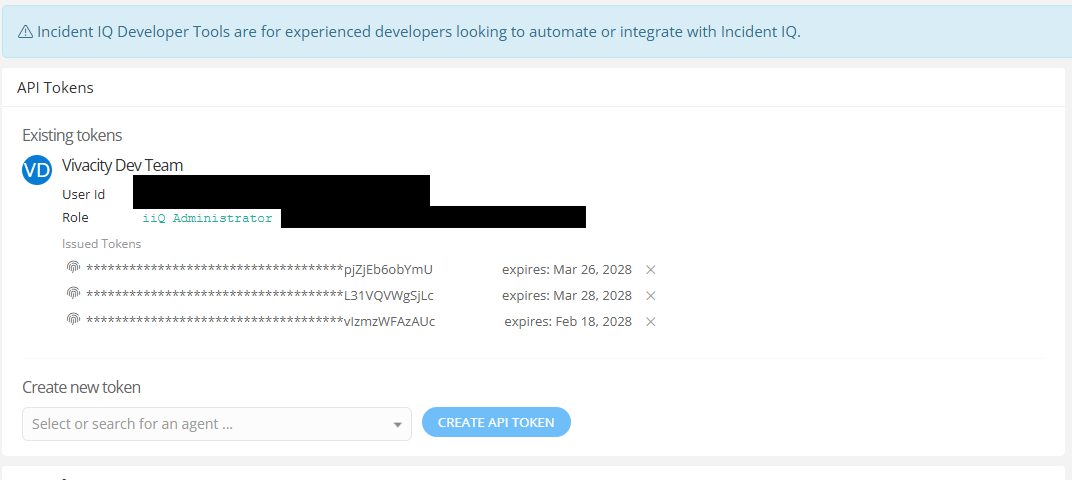
Create a new API Token
-
Create a User for the integration. The user information must match the following exactly.
-
First Name: Vivacity
-
Last Name: Dev Team
-
Email: [email protected]
-
Role: IIQ Administrator
-
-
Return to Dram and navigate to the user settings page
-
In the lefthand navigation menu click Integrations
-
Under Incident IQ, click Setup
-
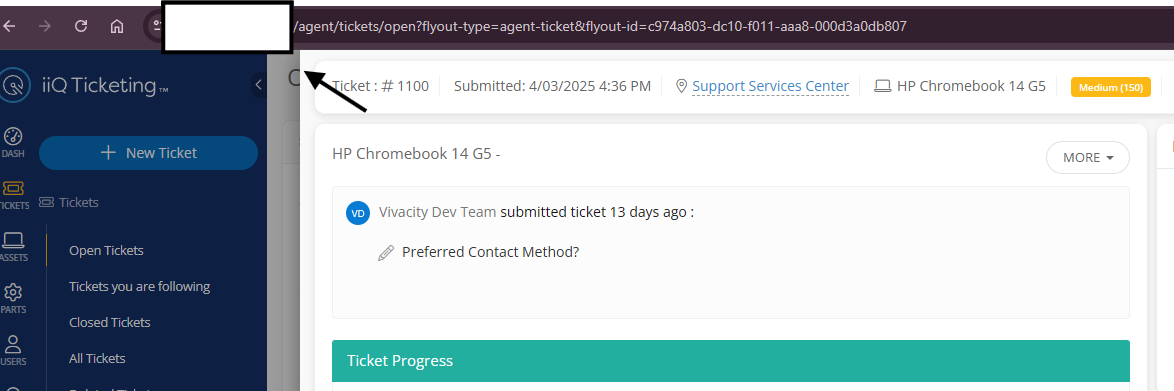
Enter your Domain (The url that you use to log into IIQ)
-
Enter your API key
-
Click Save to begin syncing In house Out of Warranty Tickets.
Updated 18 days ago