
Vendor Managed Inventory (VMI)
VMI allows you to stock Vivacity-verified parts at your location for use in internal staff and student repairs.
Add a Vivacity Part
-
Expand Vivacity Central
-
Click VMI
-
Click Add VMI Part
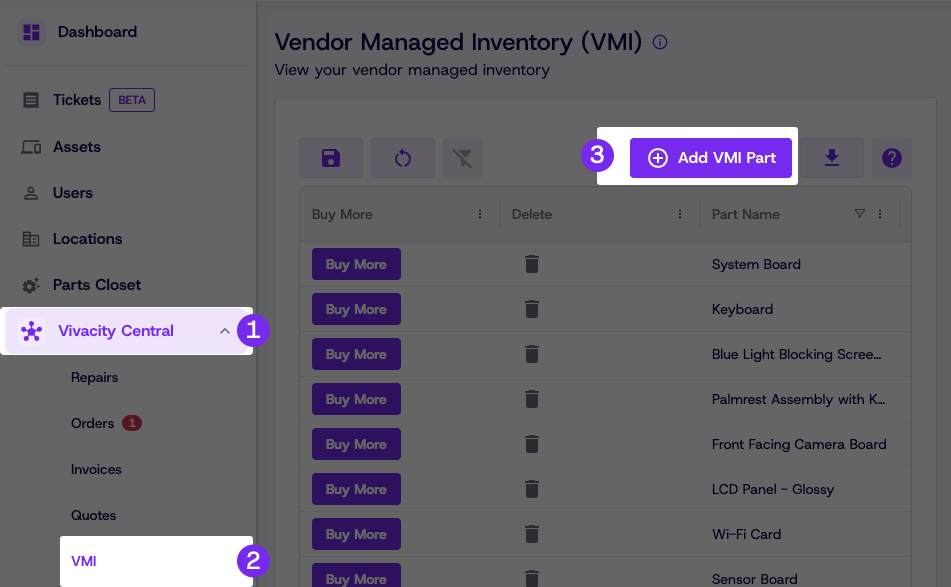
-
Select your device and the applicable parts
-
Optionally specify a bin location
-
Click Submit
Added parts will be available to select when creating internal repair tickets.
Tip: VMI is for Vivacity-verified parts that are stocked at your location
but managed in partnership with Vivacity. Unlike Parts Closet, VMI parts are
tied to Vivacity's compatibility matrix, giving you access to verified parts
while Vivacity maintains visibility into your inventory levels and usage.
Updated 3 months ago
Did this page help you?