
Bulk Updates
Bulk updates allow you to edit multiple asset records at once using a Google Sheet generated by Dream™. This process requires signing in to a Google account and granting Dream™ permissions in Google Workspace.
Steps
-
Click Assets
-
Select assets to update using one of the following methods:
- Check the top-left checkbox to select all devices on the current screen
- Check individual checkboxes to select specific assets
- Click the Select All button in the top-right to select all assets in your account
-
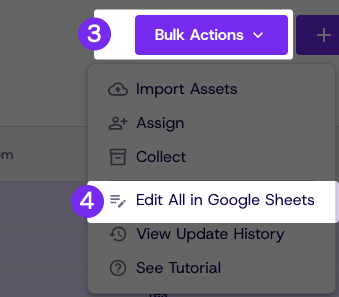
Click Bulk Actions in the top-right
-
Click Edit Selected in Google Sheets
-
Click the provided link if the Sheets page does not open automatically
-
Make your edits in the sheet
-
Click Save Changes
Updated 21 days ago
Did this page help you?