For AI agents: visit https://docs.vivacitytech.com/llms.txt for an index of all pages formatted in Markdown and endpoints in OpenAPI.
Jump to Content
Dream
DocumentationAPI ReferenceRelease NotesDiscussions
v1.0

Log InDream
Documentation
Log In
v1.0DocumentationAPI ReferenceRelease NotesDiscussions

Getting Started

  • 🏠Welcome to Dream™
  • Getting Started

Integrations

  • Prerequisites
  • Integration Setup
  • Troubleshooting
    • Verify GAC Telemetry Policies
    • Confirm GCP is Enabled
  • Dream Open API

Account Settup

  • How to Add Users
  • How to Add Locations/Carts
  • Verify and Bulk Add Fleet Devices
  • Notifications
  • Custom Roles

Tickets & Repairs

  • How to Create a Helpdesk Ticket
  • Helpdesk Ticket General Information
  • How to Create a Ticket for Vivacity Repair
  • How to Create an Internal/Student Repair Ticket
  • How to Add a Part During Internal Repair Ticket Creation
  • How to Add a Line Item After a Ticket Has Been Created
  • Parts Only Dispatch
  • General Repair Ticket Information and Editing

Assets & Inventory

  • Loaner Management
    • Loaner Management — Assign
    • Loaner Management — Collect
  • Bulk Updates
  • Parts Closet
  • Vendor Managed Inventory (VMI)

Reports

  • Google Device Telemetry — Fleet-Wide
  • Google Device Telemetry — Individual Device
  • Searching, Filtering, and Table Customization

Orders

  • Order Invoices
  • Order Quotes
Powered by 
  1. Orders

Order Invoices

Invoices for orders placed through Vivacity are accessible directly in Dream™.


Steps

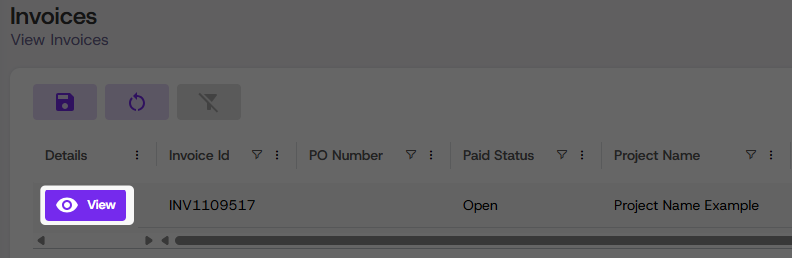
  1. Click Vivacity Central, then click Invoices

  2. Locate the desired invoice in the table

  3. Click View to open, download, or print the invoice as a PDF


Updated about 1 month ago


Searching, Filtering, and Table Customization
Order Quotes
Did this page help you?
    • Steps