
Telemetry Data
The Telemetry Data report gives you a high-level view of device health and usage across your entire inventory. Requires an active Google Admin Console integration.
Navigation Steps
-
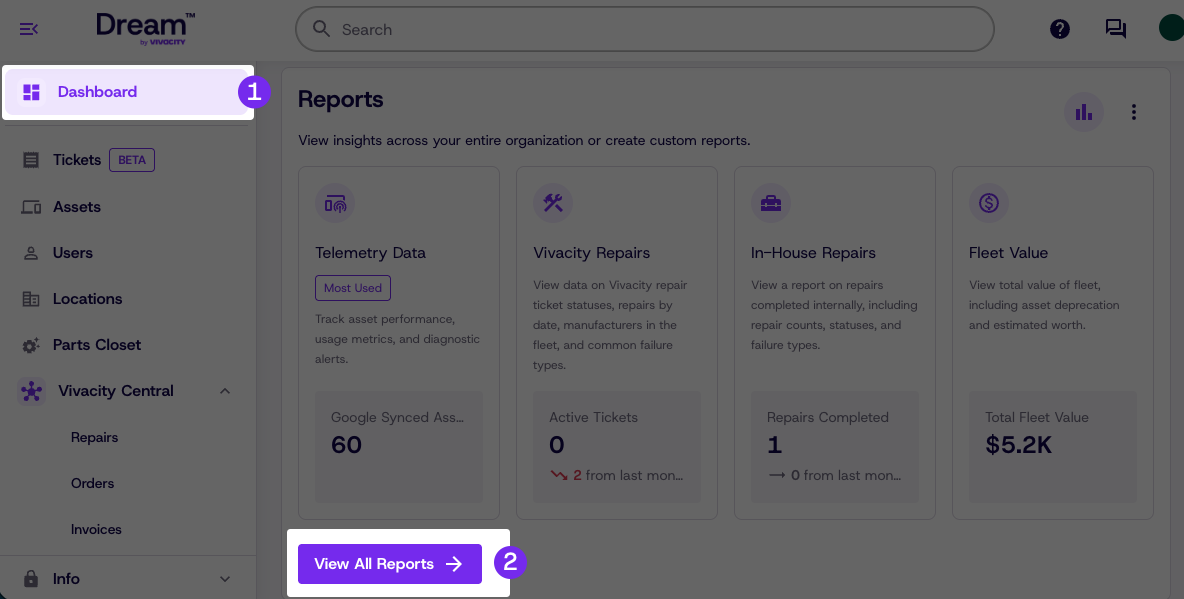
Click Dashboard
-
If telemetry data has not been added to your favorites, under Reports click View All Reports to navigate to the Report Center
-
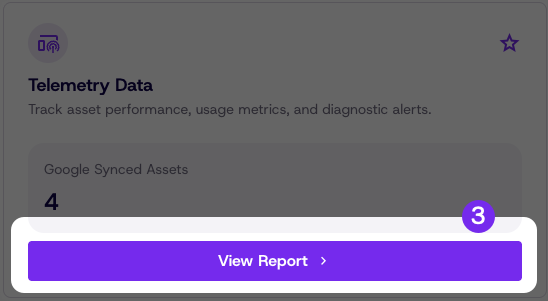
Click View Report under Telemetry Data
Reading the Report
The Telemetry Data report has been updated to provide all of your Google synced device data in a single place
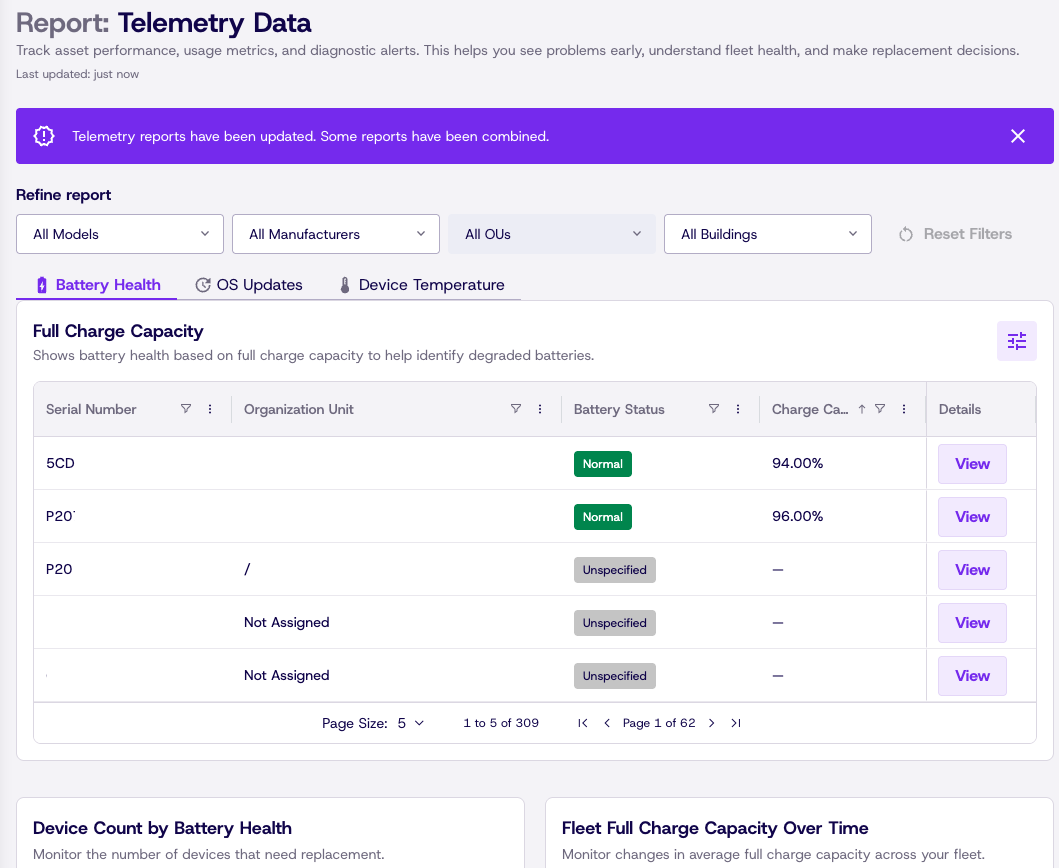
Refine the report
Need info on a specific set of devices? The Refine Report section lets you narrow your view to specific models, manufacturers, OUs, buildings, or any combination.

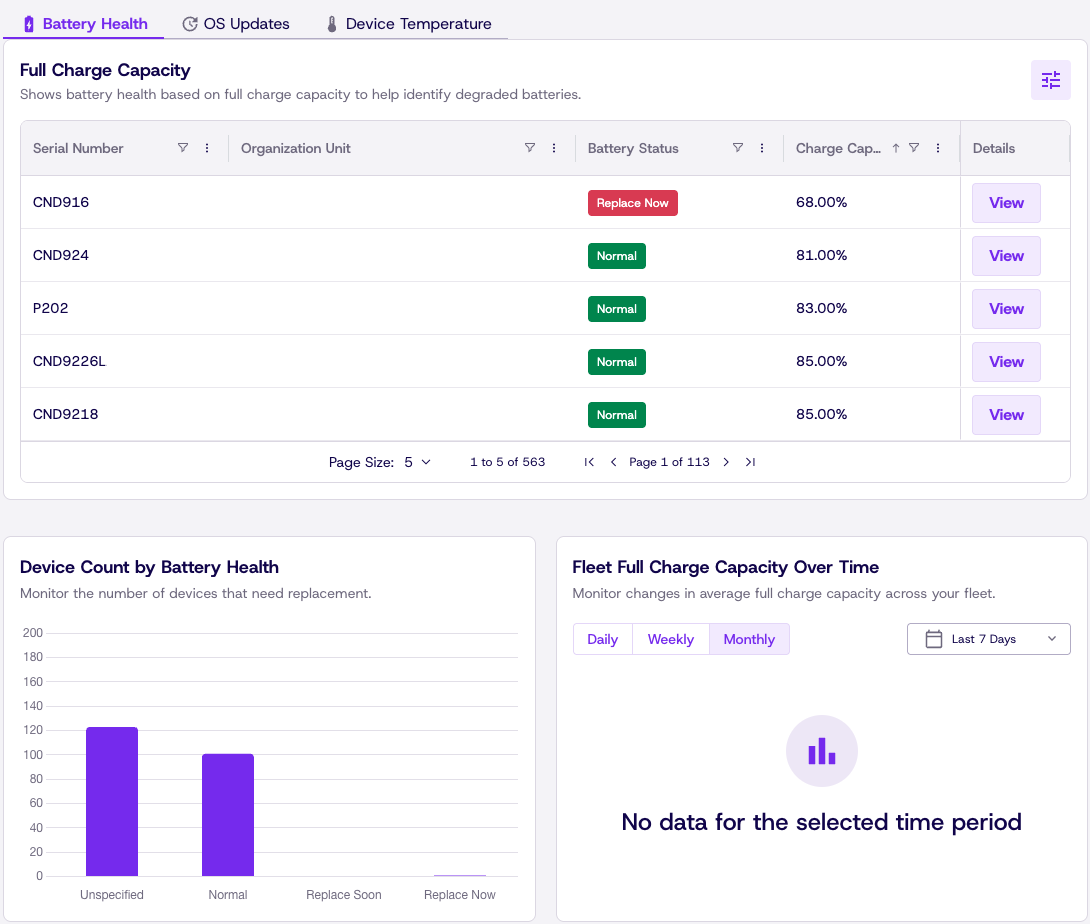
Battery Health
Got some devices that don't seem to hold a charge? The Battery Health tab lets you see a list of your devices, showing battery status along with charts giving you realtime updates about battery health and capacity.
OS Updates
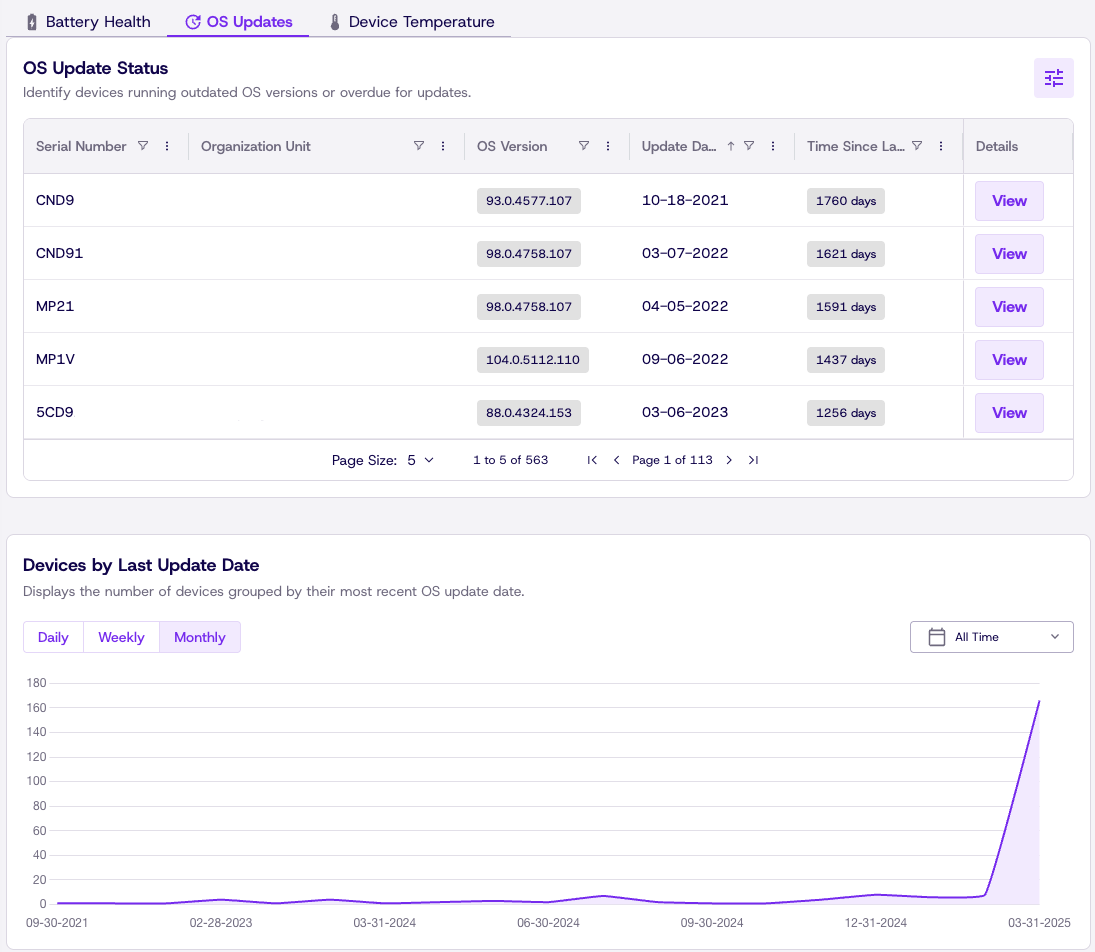
Need your devices on a specific OS version or want to see when a device was last updated? The OS updates tab gives you a list of all devices with current versions and time since last update. The charts let you see when devices were updated and counts of devices on specific versions.
Device Temperature
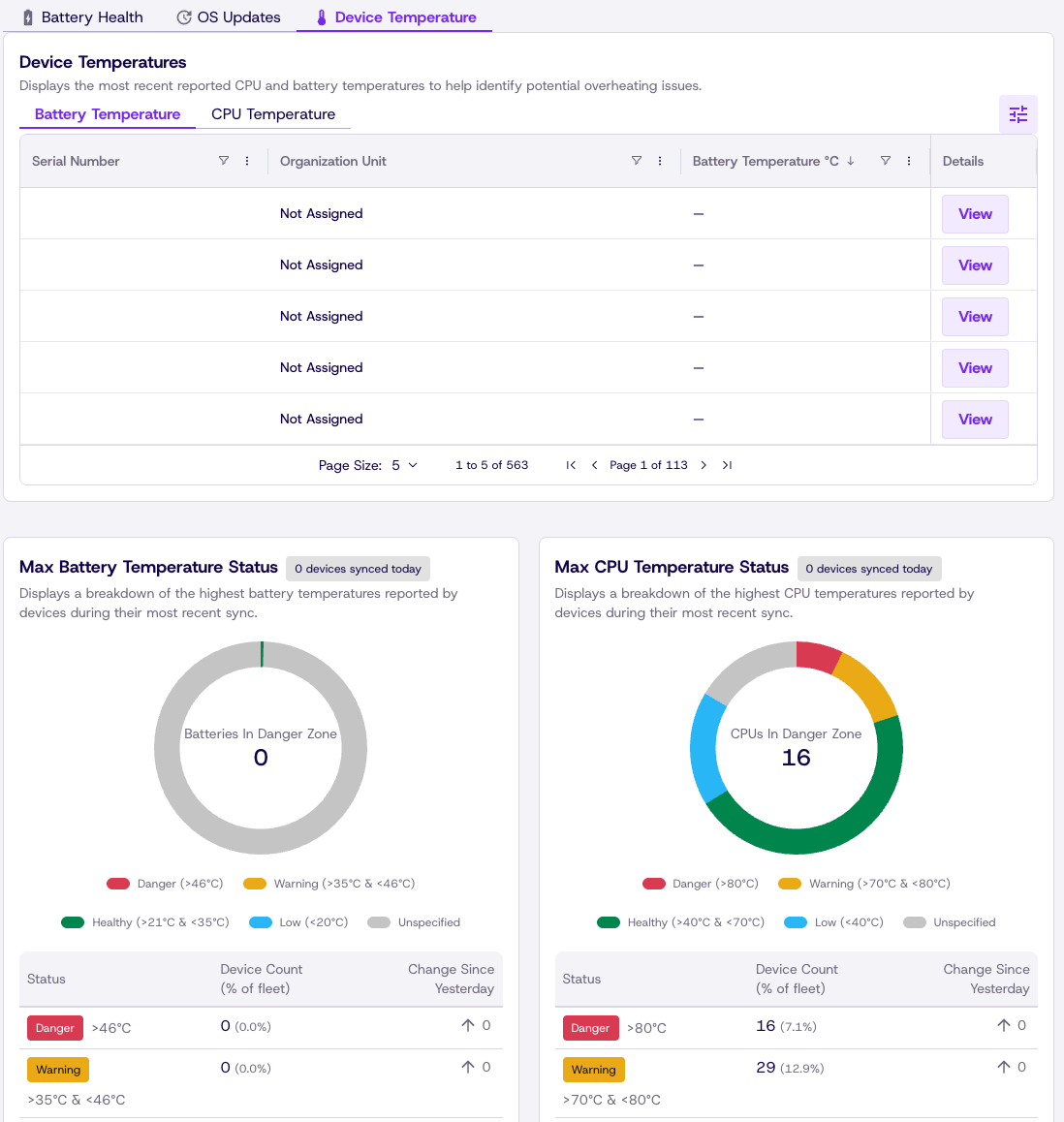
Got devices getting to hot or want to give your fleet a health checkup? The Device Temperature tab gives you a list of recorded CPU and Battery temps with easy guides and charts showing when a device may need repair.
Updated about 1 month ago