
How to Add Locations/Carts
Buildings, Classrooms, and Carts are used throughout Dream™ to associate People and Assets with specific locations.
Steps
-
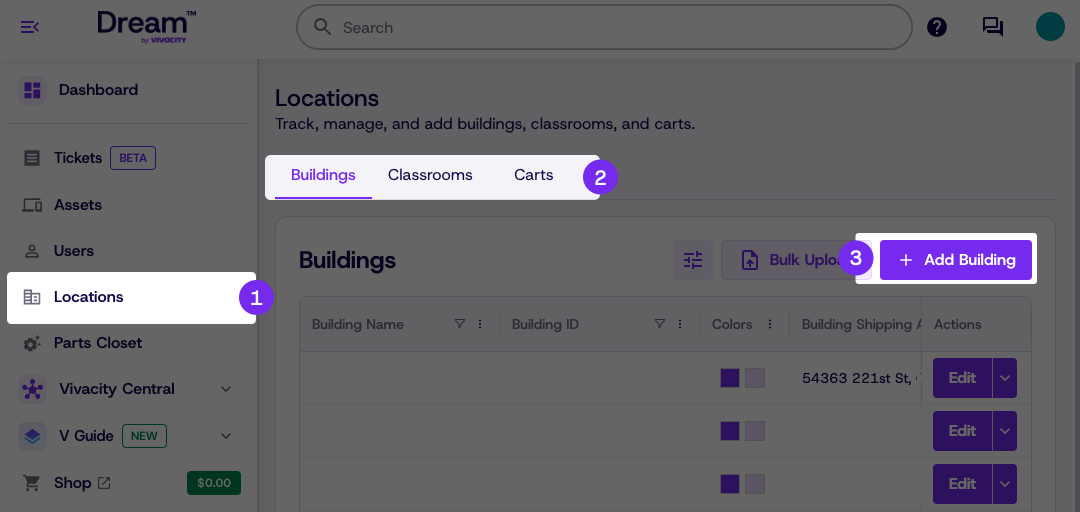
Click Locations
-
Navigate to the appropriate location type
-
Click Add Building
-
Enter the required Location details — required fields are marked with an asterisk (*)
-
Click Save
Classrooms and Carts can be added by navigating to the appropriate tab in step 2 and following the same steps.
These must be created within an existing building.
Updated 8 days ago
Did this page help you?