
Notifications
Notifications are accessible from the top-right corner of Dream™ via your User Menu. Unread notifications are indicated by a red circle on the notification icon.
Customize Notification Preferences
-
Click your User Menu, then click Settings
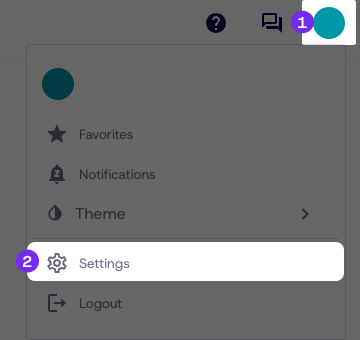
-
Click Notifications from the settings menu
-
Opt in or out of available notifications
The official Vivacity Announcement notification cannot be disabled.
- A notification at the top of the screen will follow, confirming the changes
Updated 8 days ago
Did this page help you?