
Bulk assign assets via CSV
Assign your entire fleet with from one sheet
For users who keep assignment records in other platforms it is now easier than ever to assign assets across your entire fleet.
Steps
-
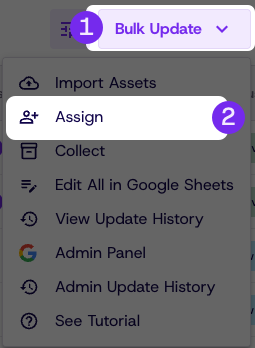
In the Assets page click bulk update
-
Click Assign
-
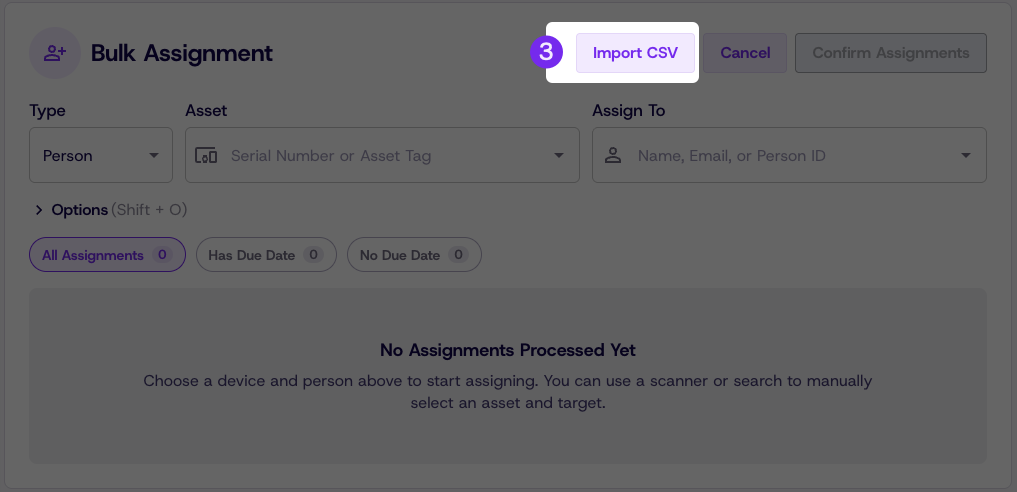
Click Import CSV
-
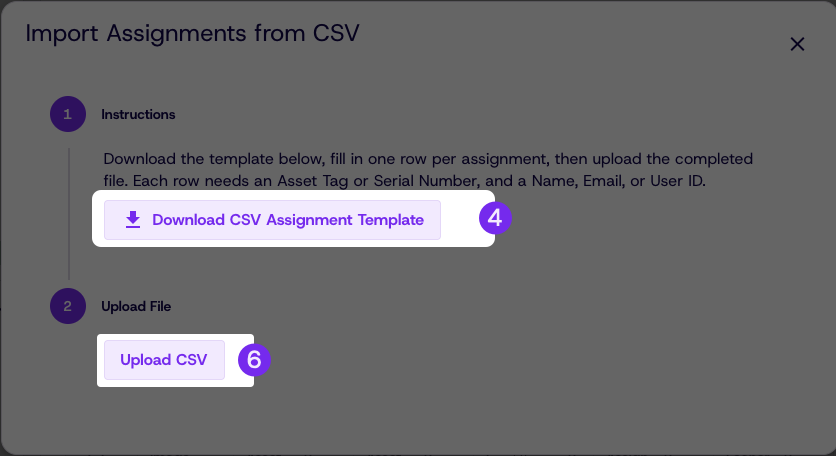
Download the CSV template
-
Fill in Assignment information by pasting into the CSV or Google Sheets
-
Upload the CSV
-
Confirm assignment and correct any errors in the table
-
Click Confirm assignment
Updated 14 days ago
Did this page help you?