October Dream™ Release Notes
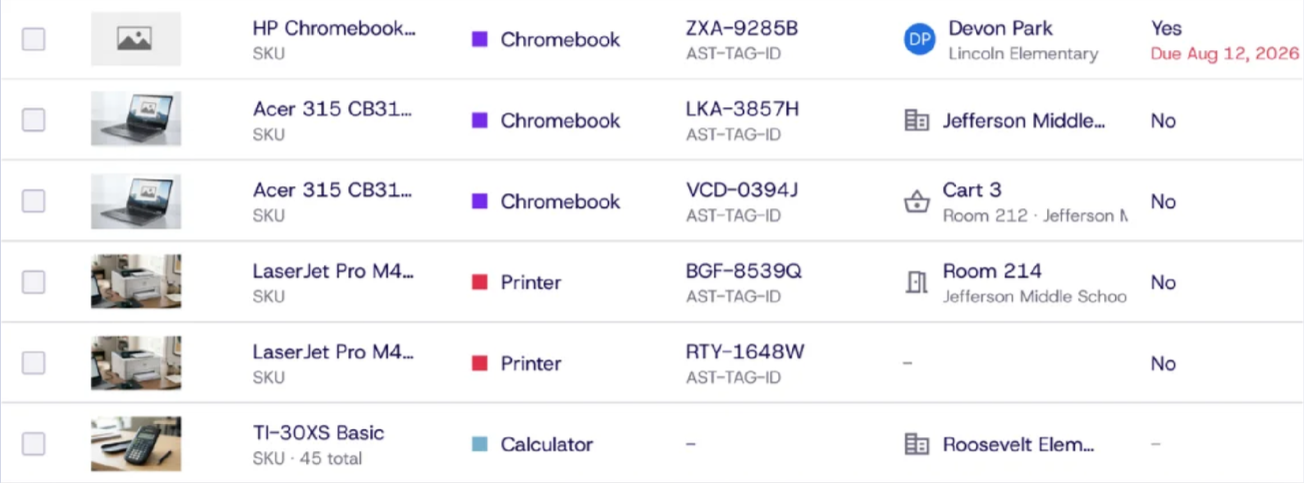
Other OEM Management + Assets UX Update
Dream™ now works the way your mixed fleet does, not just Chromebooks.
Organizations running Apple, Microsoft, and other devices can now add and manage assets with the same care as Chromebooks.
- Use standard asset categories: Chromebook, Laptop, Desktop, Tablet, Charging Cart, Software/License, Printers, and more.
- Create your own custom categories with a custom color for easy identification.
- Enter manufacturer, vendor, funding source, and warranty expiration dates all in Dream™.
- Add multiple copies of the same asset at once by setting a quantity.
- Use the new tabs on the Assets page and the refreshed Add Asset process, table, and details view.
Bulk Operations, Data Accuracy & Improved GAC Sync
Cleaner device data and faster bulk work at any fleet size.
We closed the gaps that made managing large fleets harder than it should be. Bulk tools now cover more fields, exports have no cap, and device records stay consistent no matter how a device is added.
- See each device’s last logged-in user in the Assets table, with filter and export support.
- Add a single device or import by CSV using the same fields, including warranty.
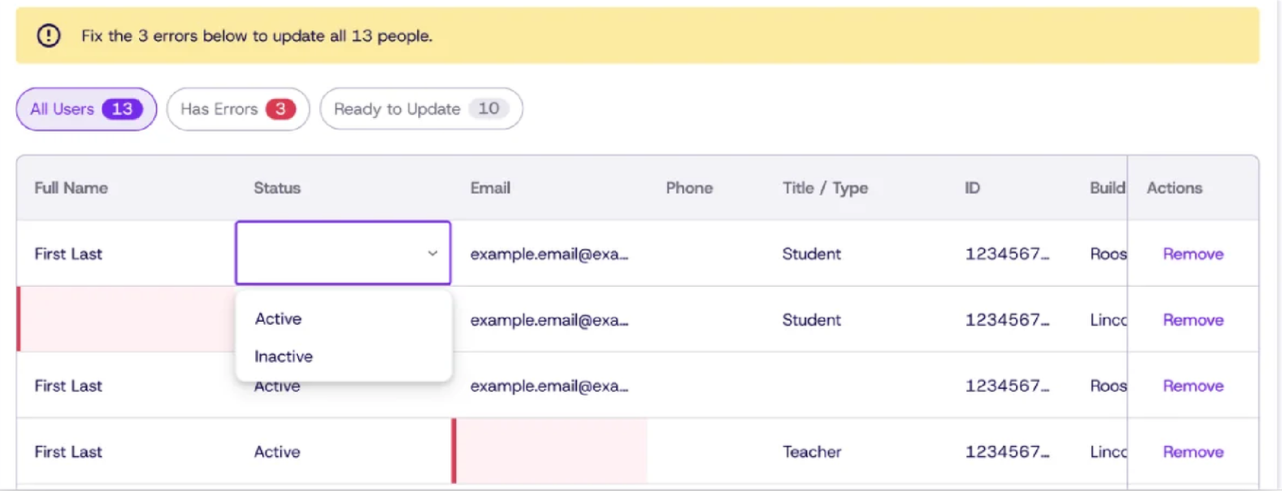
- Update every device and people field from the bulk update tool.
- Bulk edit Users from Google Admin Console, similar to Devices.
- Duplicate Asset Tag and GAC Asset ID fields are merged and kept in sync.
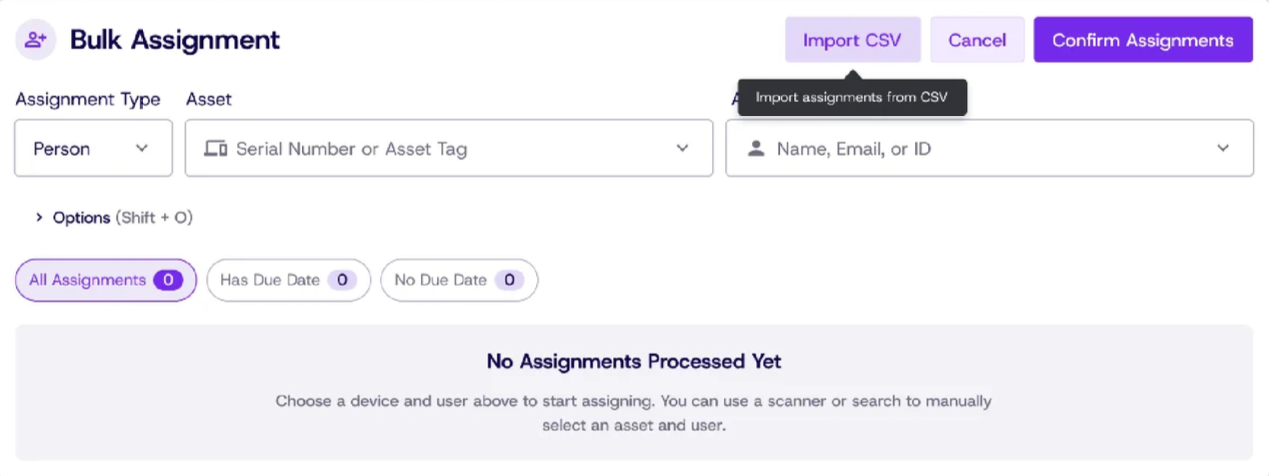
Bulk Device Assignment via CSV Import
Assign hundreds of devices in minutes, not hours.
Prepare your assignments in a spreadsheet, upload the file, review, and confirm. Built for seasonal rollouts and large onboarding batches.
- Download a ready-made CSV template.
- Give each row a device (Asset Tag or Serial Number) and a person (Name, Email, or User ID).
- Rows with problems are flagged with a clear reason before anything changes.
Asset Relationships & License Management
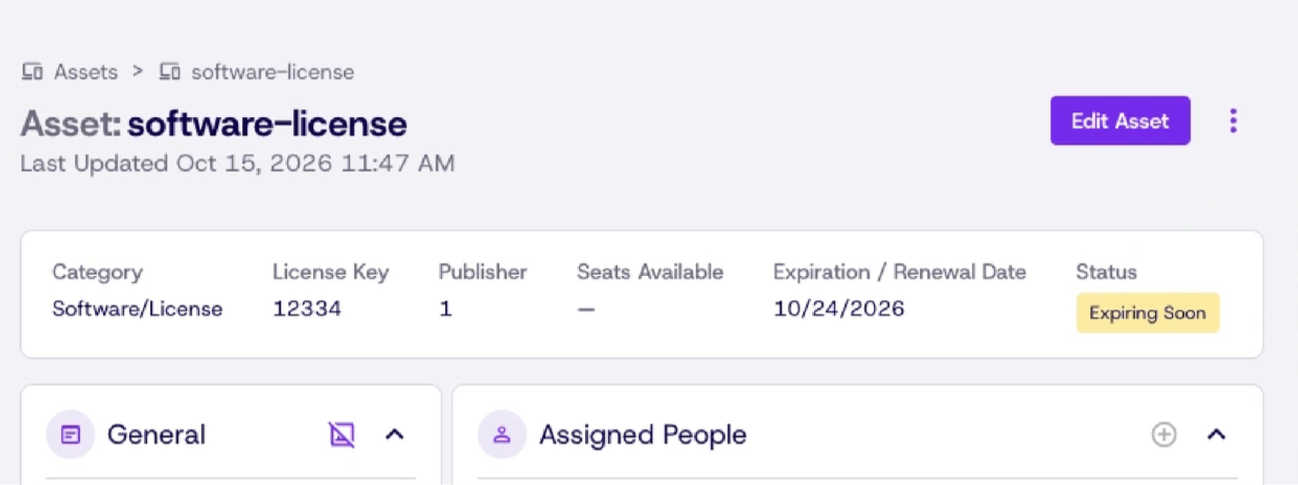
See how your devices, licenses, vendors, and funding connect.
Answer questions like “Where did we buy these, what licenses are on them, and how were they paid for?” without leaving Dream™.
- Connect assets to licenses, vendors, and funding sources.
- Navigate between related assets seamlessly.
- Manage vendors and funding sources from the new Vendor and Funding Source settings page.
Fixes and Improvements
Tickets and repairs
- Add public and private comments on tickets, and attach videos to document an issue.
- Search by Google Admin Console Annotated Asset ID when choosing a device on a new ticket.
- Repair line items now request successfully, and validation applies only to the repair actions that need it.
- Repairs stay in sync between Dream™ and NetSuite, including parts orders and warranty parts orders.
Users and reports
- Status and Date Sent filters now work correctly in User Management.
- Sorting works in People tables and report widgets without errors.
- Bulk People Update now includes Support Access options.
- Support Activity Log filters and details are more complete, including who granted Support Access.
Everywhere in Dream™
- Filters no longer move your cursor while you type.
- Your theme setting is saved after you refresh or reopen Dream™.
- The Support Center has a new design and navigation, with added VMI and Parts resources.
- Enterprise API subscription renewals, grace periods, and suspensions are handled more reliably.