
May Dream™ Release Notes
Record Fees for Damaged or Lost Devices
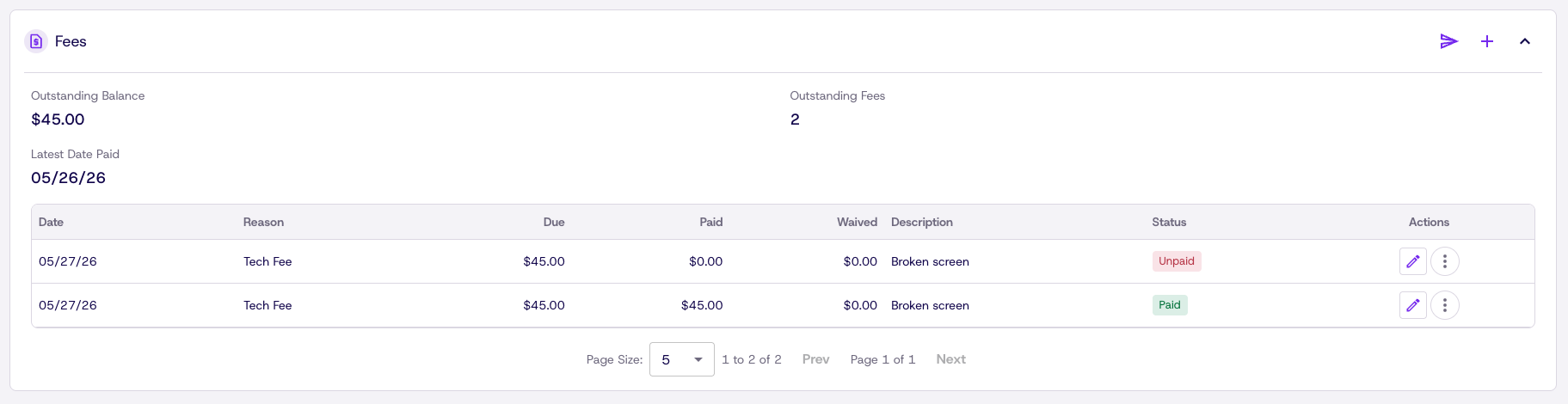
Track damage and loss charges directly in Dream. Admins can assign fees from either the student or device detail page, with each entry capturing the reason, amount, associated device, date, and who created it. A dedicated fee ledger on the student record shows all current and historical charges with a running balance, and fee history carries forward even after graduation. Admins can mark fees as waived with a reason, and when a fee is assigned, an email notification goes out to the parent, student, or user automatically.
Report Center Update
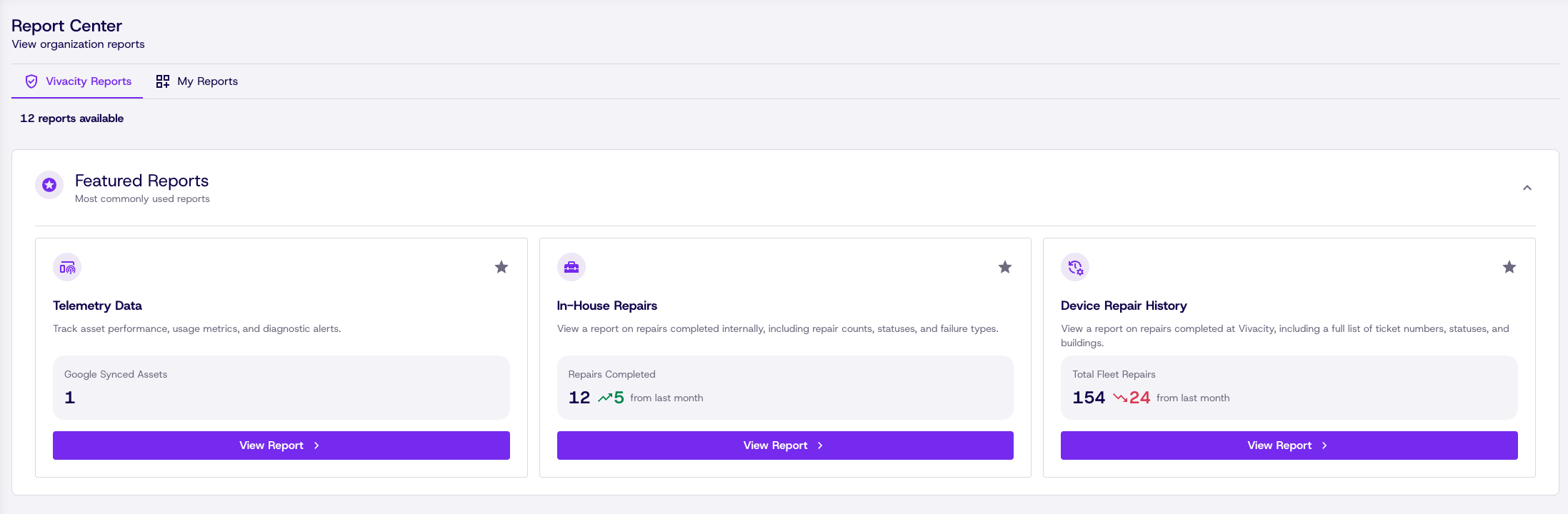
The Report Center has been redesigned to be clearer, more visual, and easier to navigate. The homepage now better organizes available reports with improved layout and hierarchy, displays key data, and individual reports can be favorited to move to the top of the list.
New Settings Page
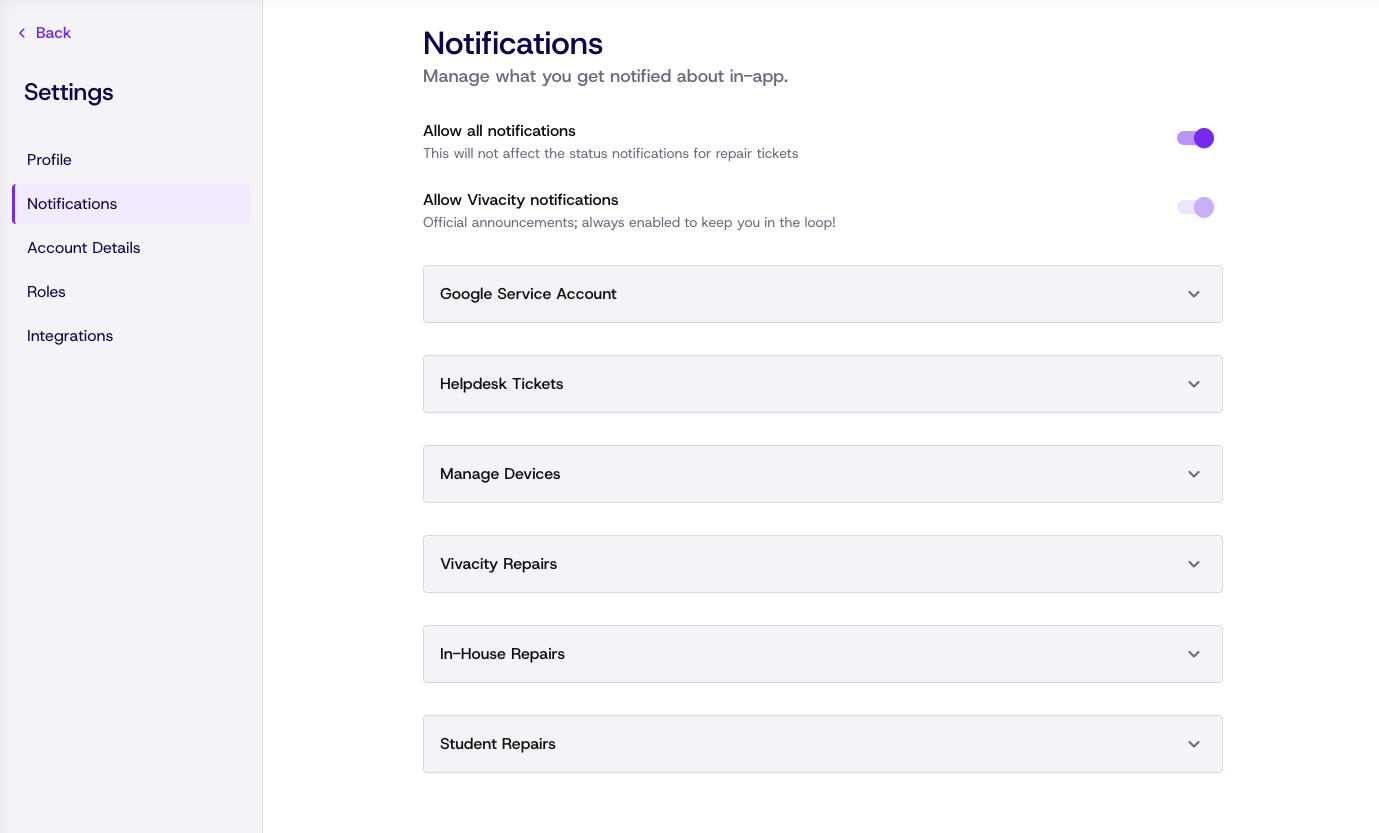
Settings navigation has been reorganized with a dedicated side nav to better accommodate the growing number of profile, account, role, and integration controls. Easier access to the things you actually need to manage, with a cleaner UI throughout.
New Vivacity Website
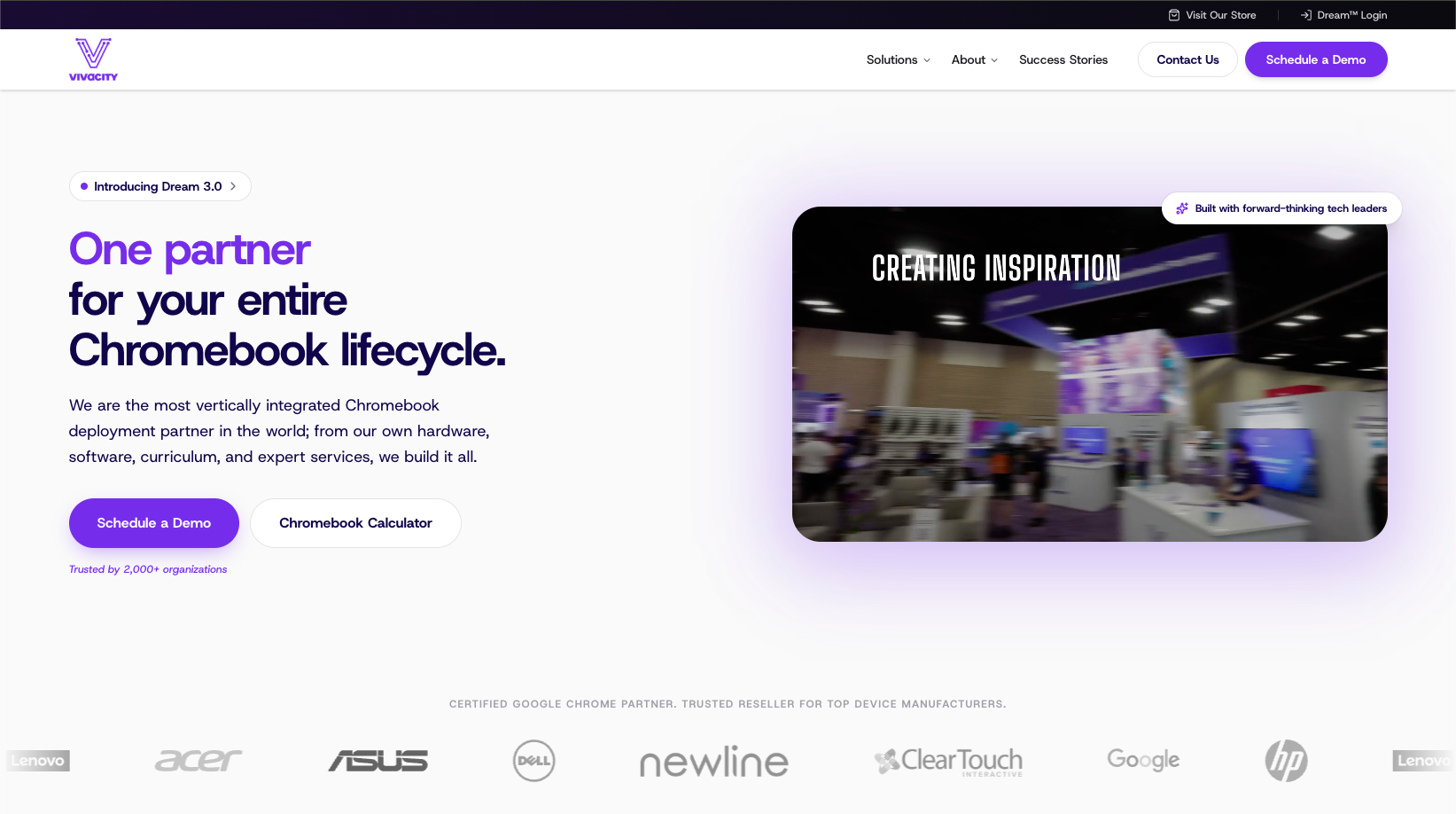
Vivacitytech.com has been completely redesigned with new content and streamlined information to better communicate how we help our partners.
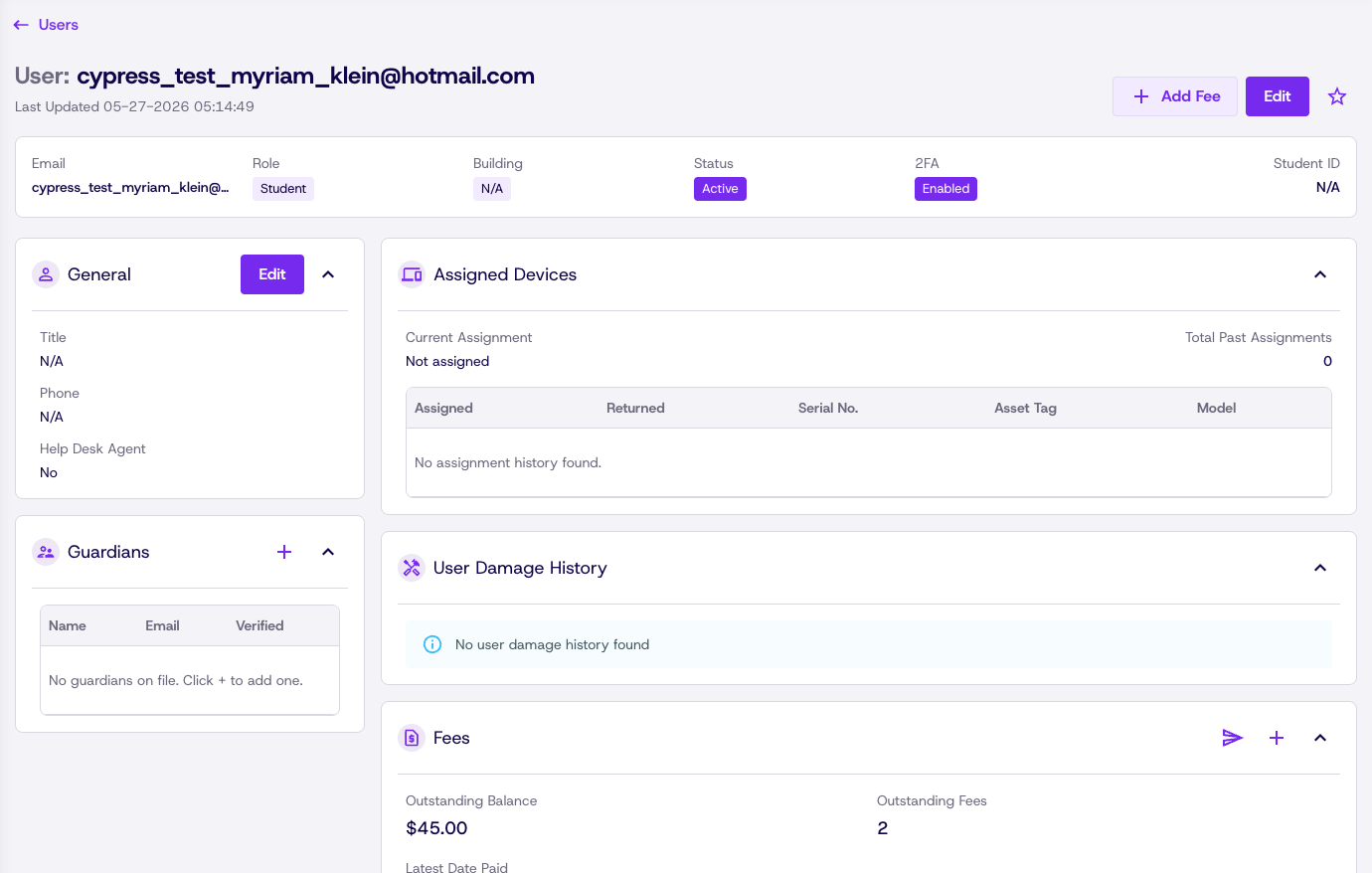
New Details Page Layout for Users
User detail pages have been updated with a refreshed layout that improves how information is organized and displayed. Key details are easier to find at a glance, related sections are grouped more logically, and the overall page structure is cleaner and more consistent with the rest of the platform.
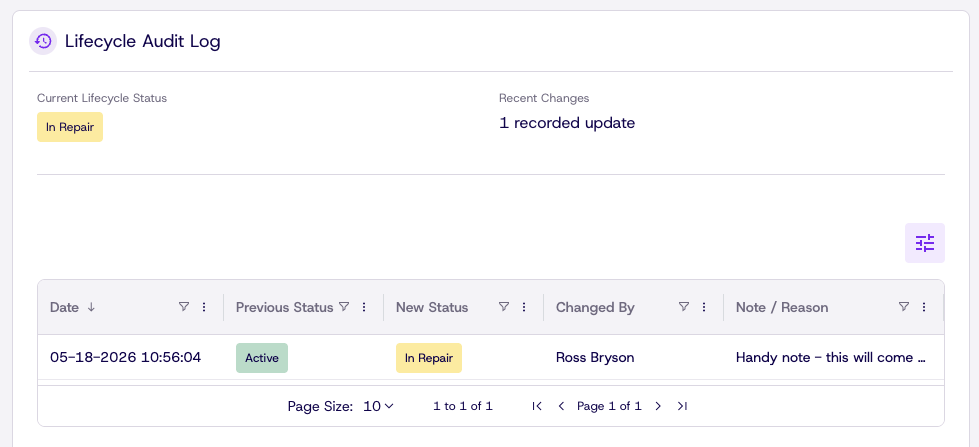
Device Audit Logs
Every device now maintains a full audit log tracking key events and changes over its lifecycle. Actions like status changes, assignment updates, repairs, and field edits are recorded with timestamps and who made the change, giving admins a clear history of what happened to a device and when. Audit logs are accessible directly from the device detail page.
Fixes & Improvements
- Fixed a white screen error during asset data entry that caused data loss and prevented asset creation.
- Resolved slow dashboard load times and optimized database queries for large customer accounts.
- Fixed a login failure that triggered bulk new user creation API requests.
- Summary box counts in Vivacity Repairs reports (Pending Repair, In Repair, Waiting on Parts) now match filtered results.
- Corrected in-house repair report data showing wrong totals on the open repair ticket card and graph.
- Editing orders in Production Schedule now properly retains data changes.
- Timeline dates on the Production Schedule calendar now display correctly.
- "Last modified by" in Production Schedule now shows the correct user.
- Fixed an issue where the Edit Ticket button was accessible to roles without the helpdesk agent flag.
- Data-changing buttons are now properly disabled after a record is soft-deleted across all ticket types.
- Editing a ticket no longer requires assigning a technician twice to save.
- Asset table counts and filters now display accurate numbers.
- Updating part quantity in Customer Central/VMI no longer affects multiple buildings when a SKU is shared.
- Fixed the "Learn More" banner on the API page becoming unresponsive after navigating to the Purchase page.