
June Dream™ Release Notes
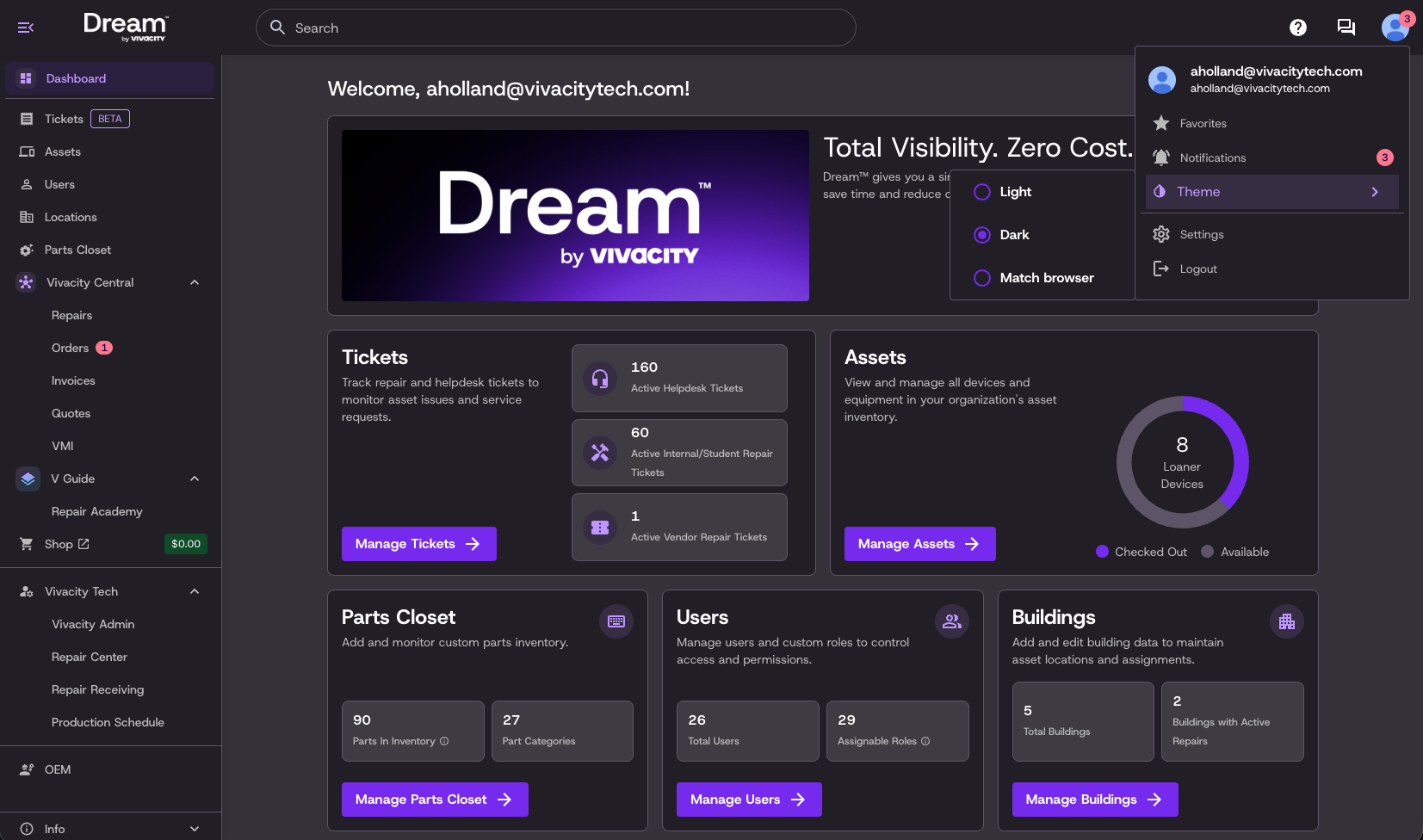
Dark Mode
Dream now supports dark mode. Toggle it on in your settings for an easier on the eyes experience — day or night. All known bugs have been resolved and it's ready to go.
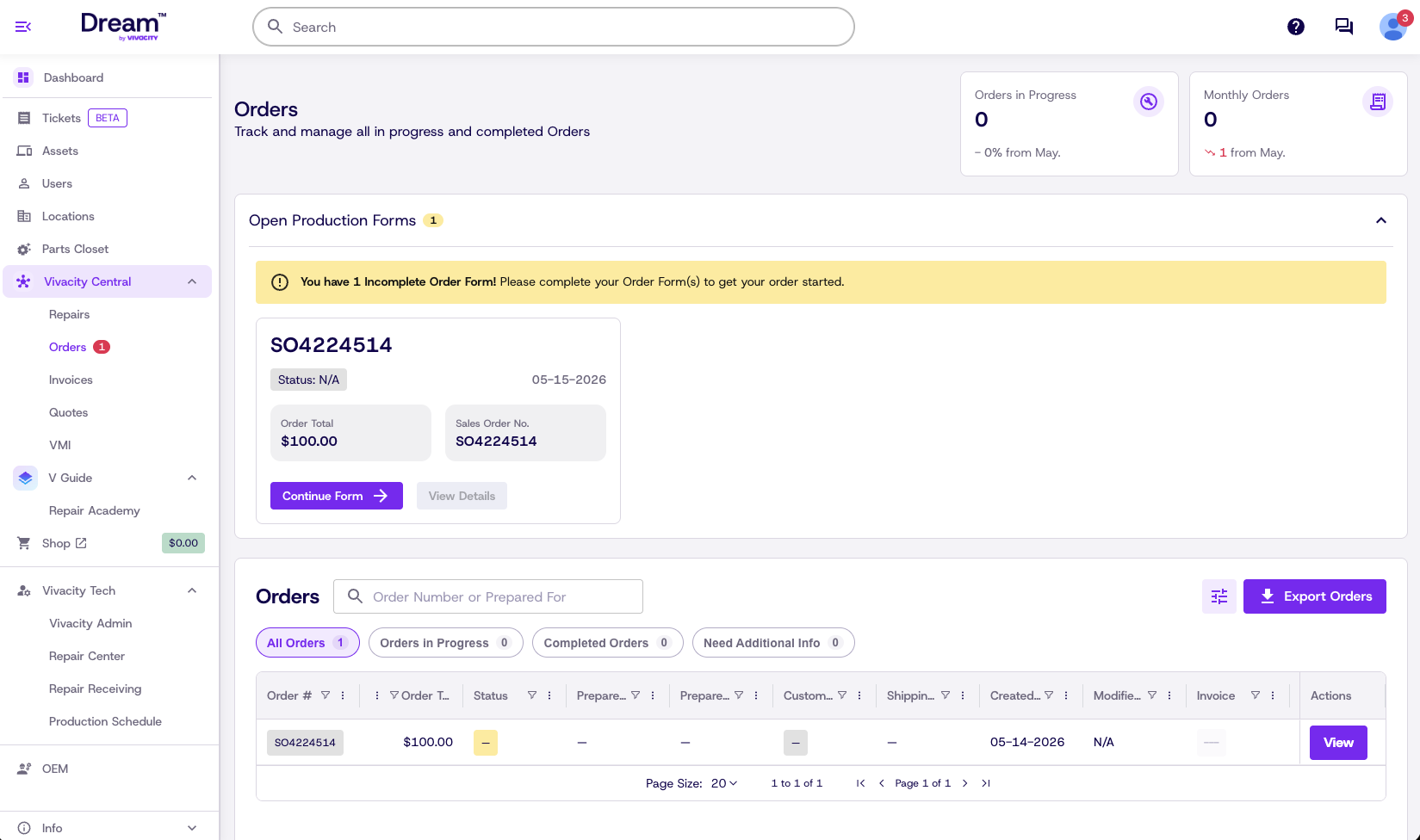
Redesigned Orders Experience
The Orders page has been completely redesigned. It's now easier to see what's in progress at a glance, and interacting with your order information feels smoother across the board. The Order Form has been updated, and we've added a new Order Details page so you can view full order information directly inside Dream without having to open a separate PDF. Invoices are now clearly labeled and connected to each order for full transparency.
Learning Hub
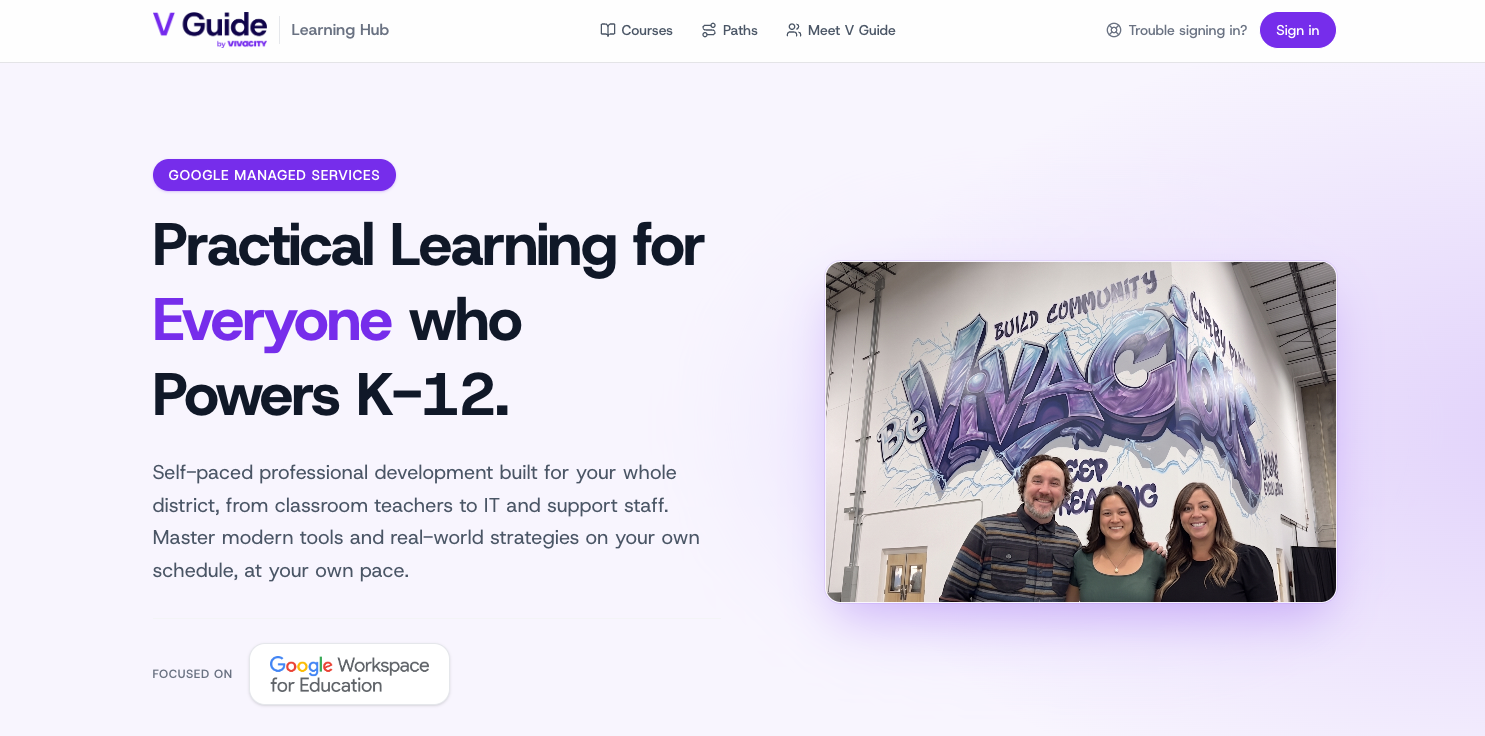
The Vivacity Learning Hub is live. Access it directly from Dream or through the Vivacity website under Google Services. Log in, work through courses at your own pace, and earn badges, trophies, and certificates along the way.
A Cleaner, More Consistent Interface
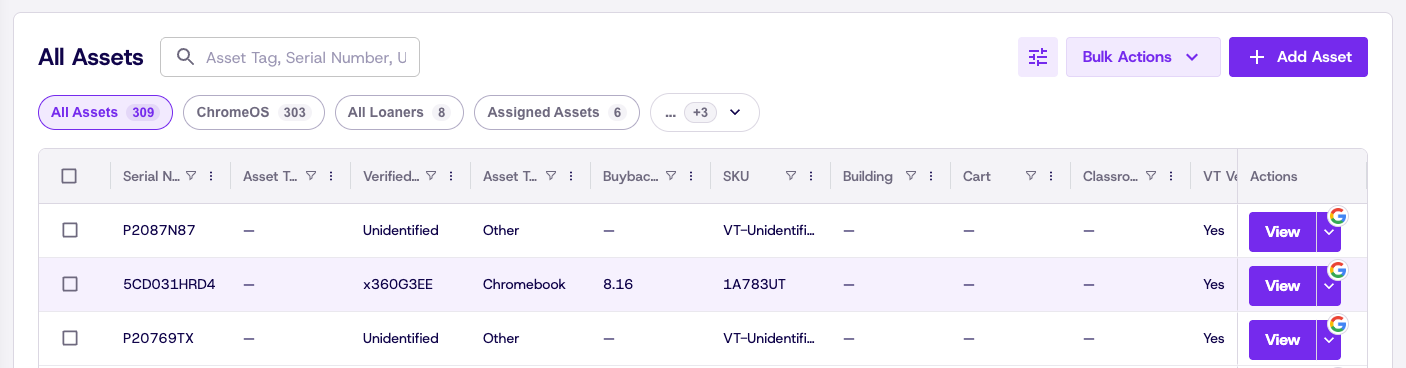
We've done a lot of work under the hood to make Dream feel more polished and cohesive. All tables have been updated to a new style with clearer, more intuitive controls. Modals, buttons, input fields, and dropdowns have all been standardized across the platform — making everything easier to navigate and giving Dream a more modern, enterprise-level feel.
Fixes & Improvements
-
- Resolved an issue with SKU stability in the Repair Center.
- Fixed overlapping UI elements in the Repair Center ticket workflow.
- Corrected button availability in certain Repair Center queue states.
- Updated terminology across the Orders experience for consistency.
- Restored a missing button on the Springboard header.
- Fixed a modal display issue in the Assets bulk actions workflow.
- Corrected an incorrect value in the Users bulk update template.
- Improved background sync reliability across the platform.
- General stability improvements and bug fixes.