
April Dream™ Release Notes
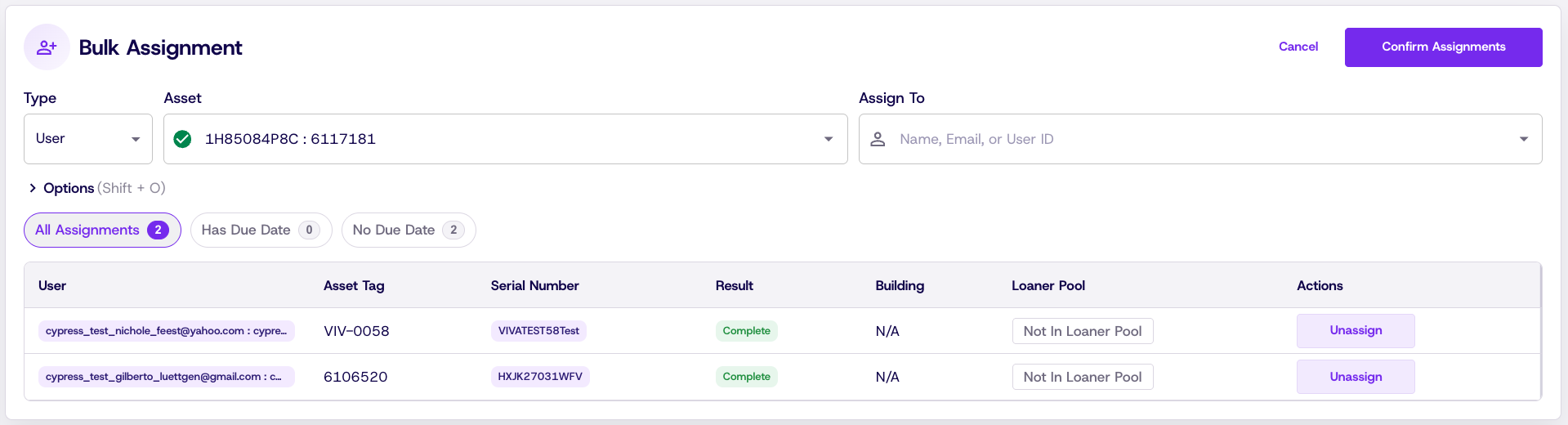
Bulk device check-out and check-in
Quickly assign and collect devices at scale. Scan a device by serial number or asset tag, then scan a student to link them together — no mouse needed. A live table updates beside the input so your team can confirm assignments in real time. When it's time to collect, the same workflow validates that each student is returning the correct device and flags mismatches before they become problems. Optional digital signature capture is available for both check-out and check-in.
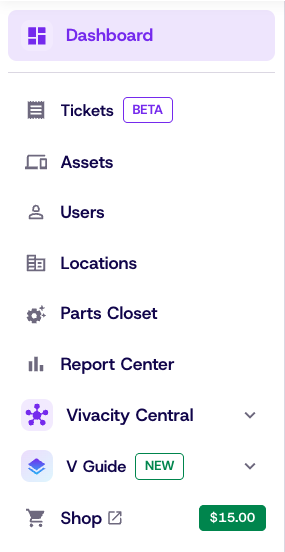
Updated navigation
The left-side nav has been streamlined. Tickets, Assets, Parts Closet, Users, and Buildings are now top-level items — no more clicking into the Manage folder. Dashboard is your new default landing page on login, and Report Center now lives there too. Repair Academy is now under V Guide.
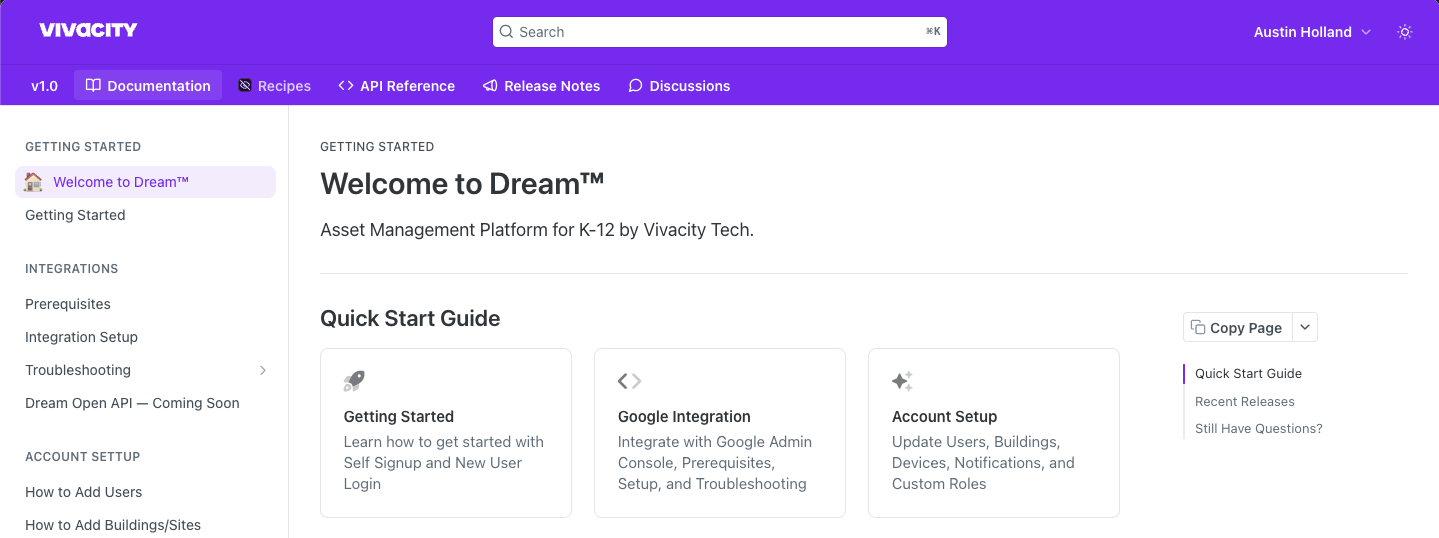
Built-in guidance, right when you need it
Dream™ Documentation is now accessible directly inside the platform. Your team gets instant access to how-tos, best practices, and feature guidance without ever leaving your workflow. (Or simply click the documentation tab at the top of this page.)
Fixes & improvements
- Repair Receiving data now loads correctly after resolving a filtering issue that prevented display.
- Added a missing button label in the Order Form for improved clarity.
- Production Order Form PDF now renders completely with proper formatting and header.
- Restored a missing field on the Order Form Customer Confirmation page.
- Action buttons are now properly disabled after a record is soft-deleted.
- Improved system notification messaging and help context on the API page.
- Bulk-selected devices no longer become orphaned after applying filters.
- Ticket editing in Repair Center now saves correctly with a single technician assignment.